 Built by 2ndBrain. It started as one landscaping office's Friday group text. Part of the 2ndBrain network.
Out by six.Home by five.
The office plans the day once. Every person on every crew has it on their phone before the truck starts: the stops in order, the gate codes, what to load. No signal needed, English or Spanish, and the next hire costs nothing extra.

Ten lost minutes a morning is a truck payment.
Somebody in your company spends the start of every day telling crews where to go. Nobody writes that time down, so here it is written down. Put in your own numbers.
Crews × people × minutes lost × wage, plus 25% for payroll taxes and burden, over 250 working days. The $18 starting wage and the 25% are assumptions. Change the wage to yours.
- Jobber adds $29 a month for each user past the plan's cap, on every plan. Housecall Pro adds $35 a month per extra user on MAX.From each company's own pricing page. See the sources under the comparison.Sourced
- A 12-person company with everyone logged in pays $5,484 to $7,776 a year on the four big platforms at list price.Worked from those list prices. The chart below shows each one.Model
- Ten minutes lost per crew every morning costs 3 crews of 4 about $11,000 a year. At thirty minutes it is about $34,000.Assumes $18 an hour, 25% burden, 250 working days. The calculator shows your version.Model
- Retyping paper timesheets into payroll takes about two hours of office time a week.An estimate. Replace it with your own Friday.Model
Same crews. Same stops. Different day.
Before group text and a whiteboard
- The week gets built on a whiteboard. A photo goes to the group chat.
- Three calls to the office: which stop first, the gate code, who has the trailer key.
- A crew arrives at the wrong address. Forty minutes gone.
- A customer asks if the job got done. Nobody is sure.
- Paper timesheets get typed into payroll by hand.
After the day on every phone
- The office plans Tuesday once, on the board.
- Every crew opens the day in the yard. No signal needed, no call.
- A stop moves from Crew 3 to Crew 1. Both phones pick it up the next time they have signal.
- Photos land on the job as proof it was done.
- Hours come in from the field, ready for payroll. Everyone is home by five.
The whole day, in the hand that does the work.
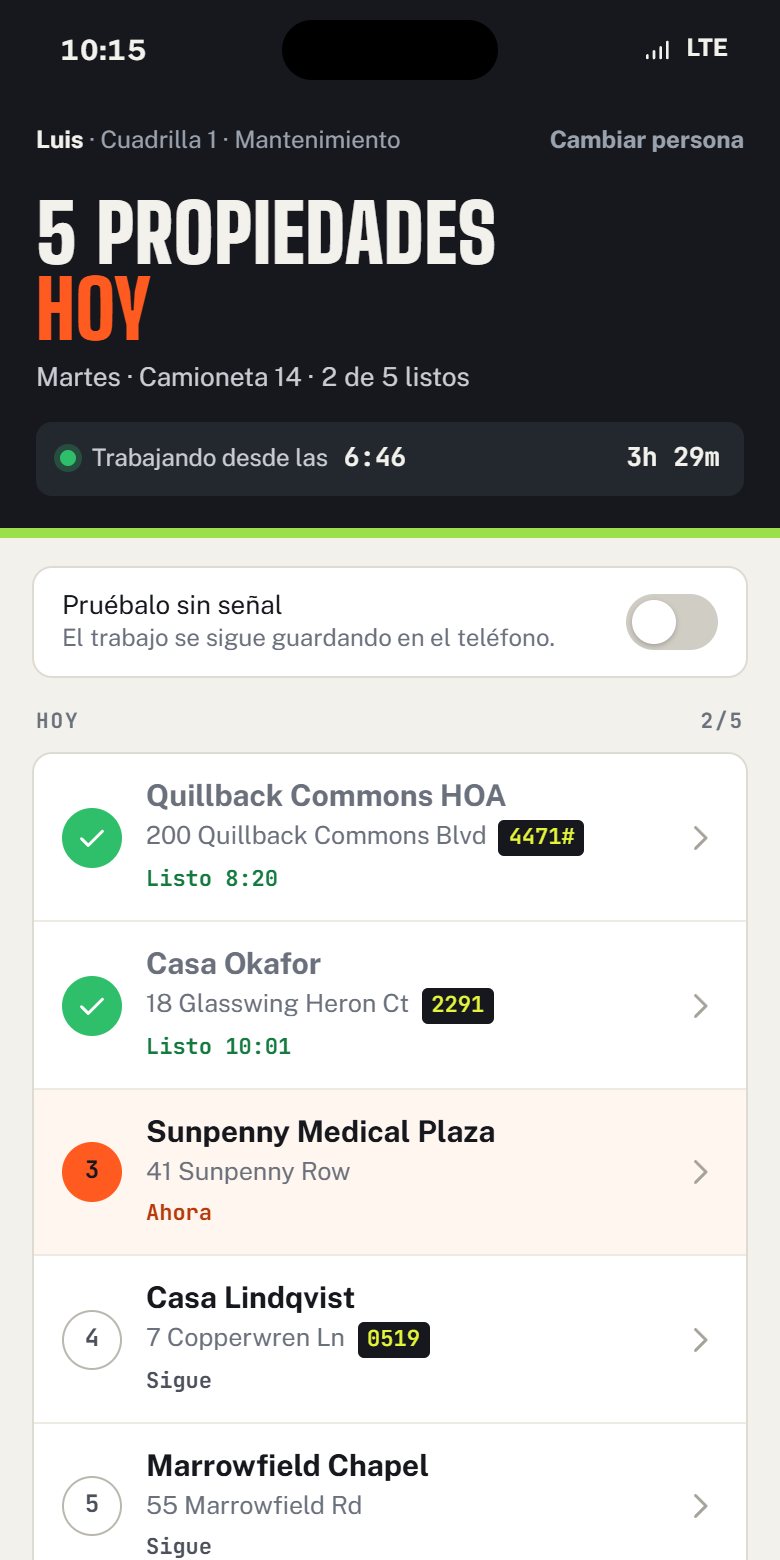
Left: an example day for your trade. Right: a real screen from the demo company, set to Spanish on this one phone.
- 01Stop 3 of 8, in orderEach person sees their own stops for today, with the address, the gate code and the note the customer left.
- 02Opens with no signalThe day is saved on the phone. Changes wait on the phone and a banner counts them until it finds signal.
- 03"Did not get to this one"One tap and a reason. The office sees it and moves the stop, instead of hearing about it Thursday.
- 04Photos on the jobBefore and after pictures attach to the stop with the time, so proof is one click away when a customer asks.
- 05English or Spanish, per phoneEach person picks their language. The crew lead reads Spanish while the office works in English, on the same day.
- 06A login for every personName and a 4-digit PIN. The new hire gets a login on day one at no extra cost.
One board for the whole company.
Every crew, every stop, the conflicts flagged before anyone leaves the yard. Drag a job onto a crew, or move it with the keyboard.
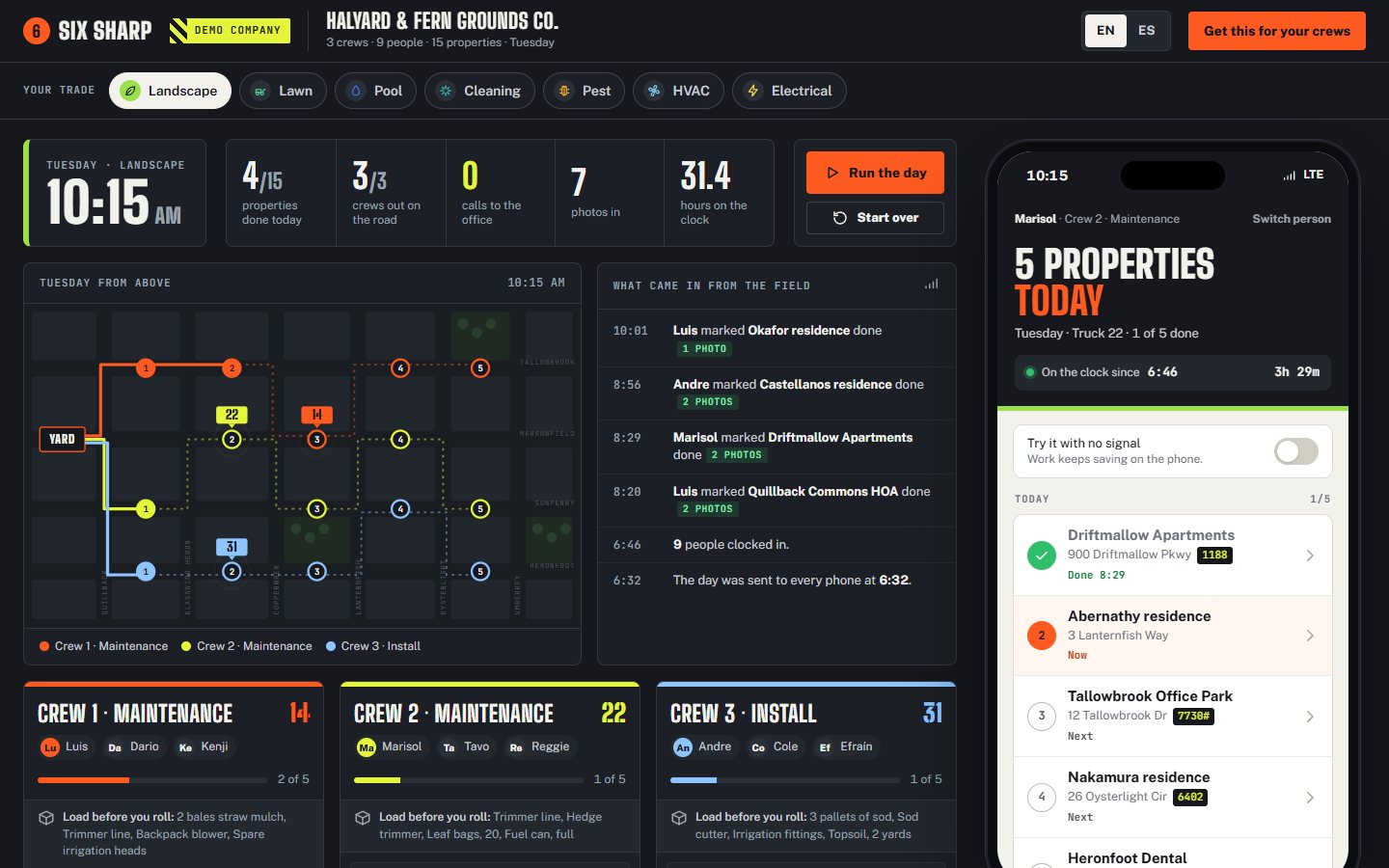
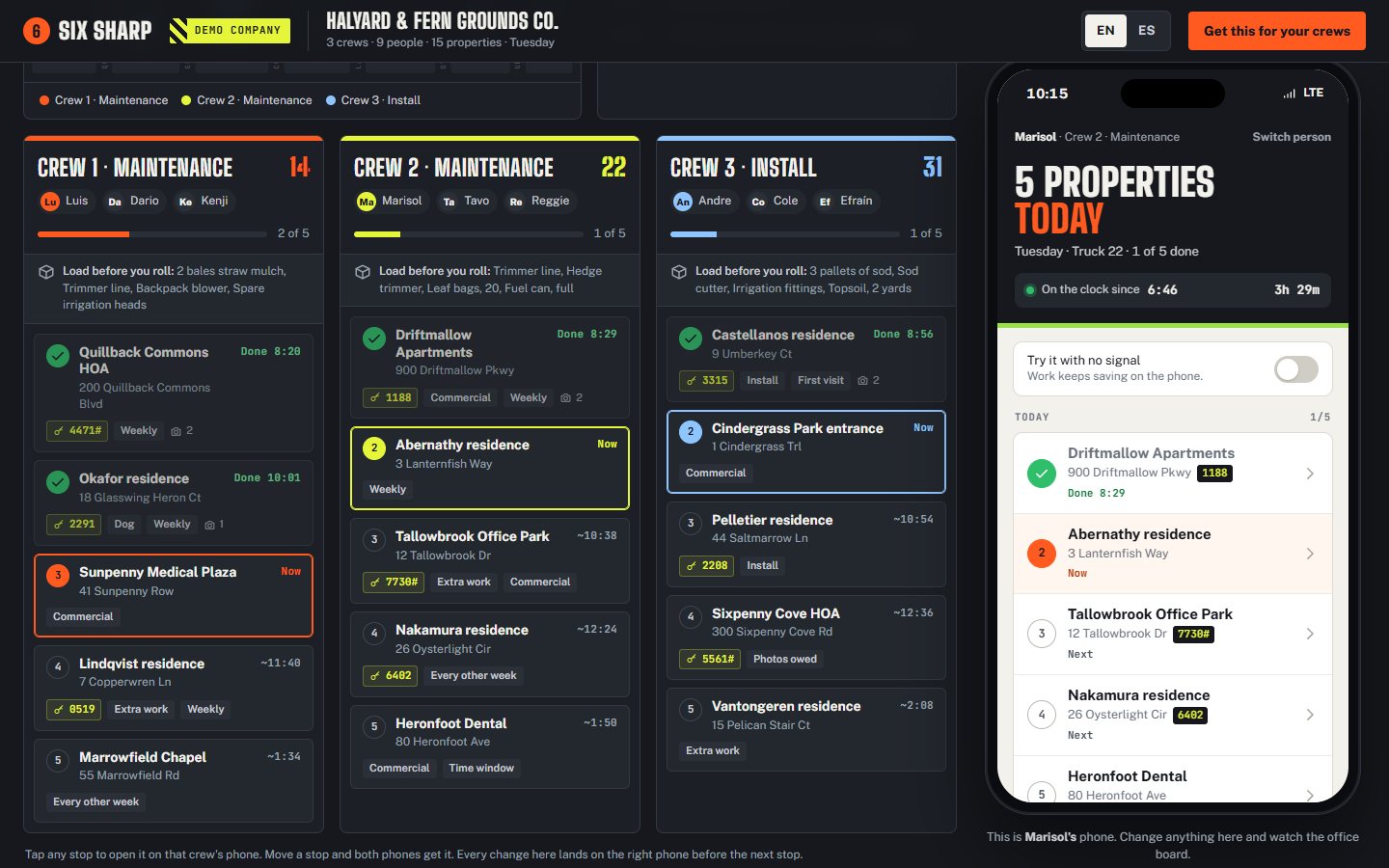
Real screens from the demo company, a made-up landscape outfit with 85 made-up stops.
Same app. Your trade's words, your trade's day.
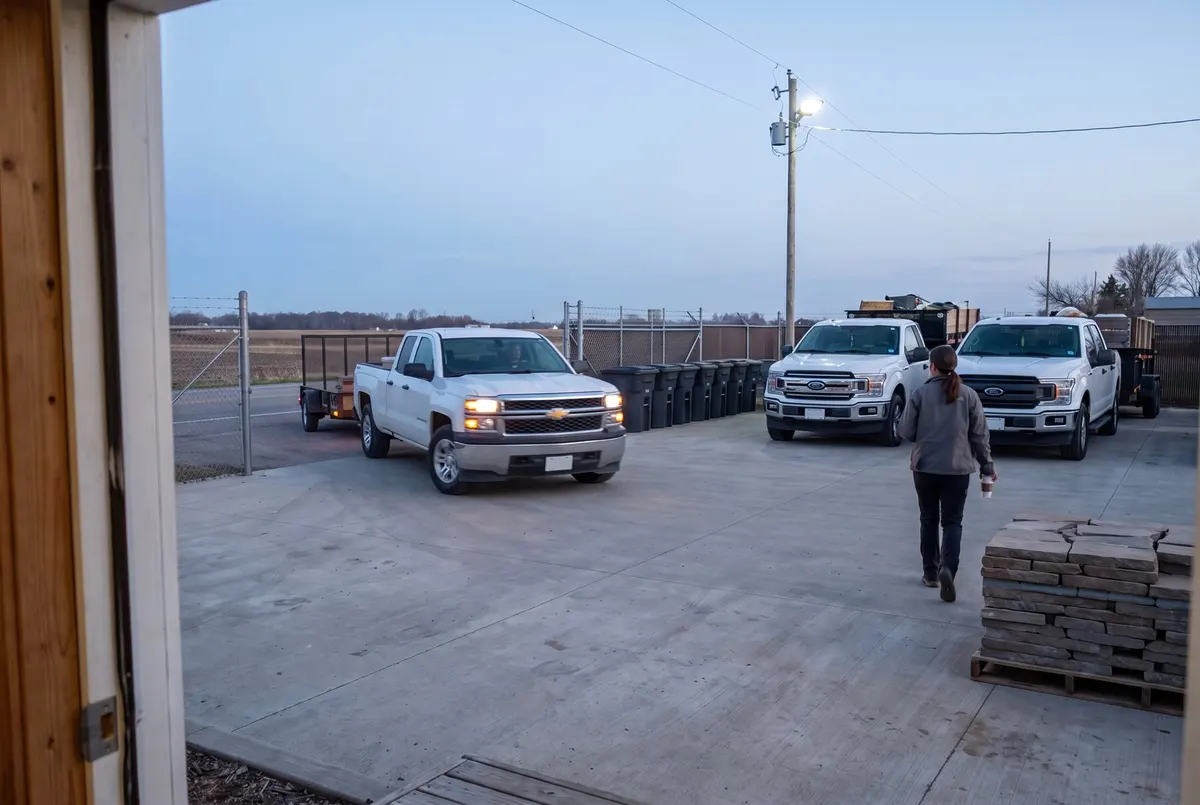
The day handled before the trucks roll.
An example company, for scale. Not a customer.
A 12-person company, everyone logged in.
Every person with their own login, the way a crew actually works. List prices from each company's own pricing page. Year one carries our setup. From year two, the gap is yours.
- Jobber Grow: $399 a month covers 10 users, plus 2 × $29 for users 11 and 12. getjobber.com/pricing. Offline: Jobber Help Center.
- Housecall Pro MAX: $329 a month covers 8 users, plus 4 × $35. housecallpro.com/pricing. Offline: "editing without cell service... is not supported," Housecall Pro mobile FAQ.
- Service Autopilot Pro Plus: $499 a month list; mobile logins are capped per tier; the sign-up fee is not published. serviceautopilot.com/pricing.
- LMN Professional: $648 a month; the onboarding fee is not published. granum.com/lmn/pricing.
- Ours: one price by crew size, everything included and set up for you. Crew $299, Company $399, Fleet $549 a month, plus $2,500 setup. The bar shows Crew: $2,500 plus 12 × $299 in year one, 12 × $299 a year after. The launch offer bar: $1,250 setup plus 12 × $149, up to 5 crews, three spots, ends October 31, 2026. Every person on every crew logged in, no per-person fee.
Live in about two weeks. We do the setup.
The worry is never whether the software works. It is being left holding something nobody showed you how to run. So we stay until your crew lead can run it without us.
- Day 1Setup callThirty minutes on how your day runs now: the crews, the whiteboard, the group text.
- Days 2 to 7Your crews and your wordsCrews, recurring stops, gate codes and checklists loaded, in English and Spanish.
- Days 8 to 10Handed to your crew leadOn their phone, in your yard, on a real morning.
- Days 11 to 14Broken on purposeWe break it in front of you, so you know where it fails before it fails on you.
One price by crew size. Everything included.
Every feature, set up for you. You pick one thing: how many crews you run. Every person on those crews gets a login at no extra cost.
Month to month $359. Pay a year up front: $2,990, two months free (annual · month to month).
Month to month $479. Pay a year up front: $3,990, two months free (annual · month to month).
Month to month $659. Pay a year up front: $5,490, two months free (annual · month to month). Each crew past 10 is $25 a month, added at setup.
Setup is $2,500, one time: we load your crews, people, routes and stops and hand it to your crew lead. Plans are a 12-month agreement billed monthly. Checkout charges the setup and your first month together, by bank transfer or card. Rather talk first? Text (904) 478-0440 or book a 15-minute look. Six Sharp terms.
What you do not pay for
- Each extra person on a crew$0
- Each phone$0
- Spanish$0
- Working with no signal$0
- Turning on a feature later$0
Launch offer, while we’re live.
Three spots while Six Sharp rolls out live: $1,250 setup instead of $2,500, and $149 a month locked for 12 months. In return, a short recorded review once you’re running: what worked, what did not, what you would tell another owner.
It stops at three because each setup is done by hand over about two weeks, and three at once is what we can do properly during the rollout. Ends October 31, 2026, or when the three are taken, whichever comes first.
Same product, same terms: each crew past 5 is $25 a month, cancel with 30 days notice. Checkout charges the launch setup and your first month together, $1,399. Six Sharp terms.
Run a day yourself, or see it with us.
The demo company
A made-up company for each of eight trades, three crews each. Watch the office board and a crew phone side by side, switch the phone to Spanish, turn the signal off and see the work wait on the phone. What you enter stays on your device.
The questions owners ask first.
We use Jobber, or a whiteboard. How hard is switching?
We load your crews and recurring stops during setup from whatever you have now: an export, a spreadsheet or a photo of the whiteboard. Keep the old way running until the first week goes clean.
What happens with no signal?
The day is saved on the phone, so it opens with no network. Anything the crew marks waits on the phone, a banner counts what is waiting, and it all sends when the phone finds signal.
Does it work in Spanish?
Yes. Each person picks English or Spanish on their own phone, and their whole day reads in that language.
Is there a charge per person?
No. Every person on every crew gets a login. Your plan is set by how many crews you run: Crew (1 to 3), Company (4 to 6) or Fleet (7 to 10). Everyone on those crews is included.
How fast can we be running?
About two weeks from the setup call. We set it up, hand it to your crew lead, and break it in front of you on purpose so you know where it fails before it fails on you.
iPhone or Android?
Both. It installs from the browser to the home screen, so there is no app store step and no update to chase.
What if someone loses their phone?
They sign in on another phone with their name and PIN. The day lives on the server as well as the phone, so nothing is lost with it.
What is the launch offer?
Three spots while Six Sharp rolls out live: $1,250 for setup instead of $2,500, and $149 a month locked for 12 months. In return, a short recorded review once your crews are running. It is capped at three because each setup is done by hand over about two weeks. It ends October 31, 2026, or when the three are taken.
What do I pay at checkout?
A launch spot is $1,250 setup plus $149 a month, available through October 31, 2026 or until the three spots are taken. Checkout collects the setup and your first month together, $1,399, and the $149 renews on the same date each month. Standard pricing after the offer is $2,500 setup plus $299, $399 or $549 a month by crew size.
What do I own if I leave?
Plans are a 12-month agreement; month to month is available at a higher price. When you leave, you keep your data as one backup file and your own copy of the app.
The interview for Six Sharp.
Payment is in. We walk you through setup personally: fill this interview, then book your setup call.
Thank you for taking a launch spot. Your setup price and $149 a month are locked for 12 months.
Checkout sends you here. Your answers name the crews, the language and the first screen Six Sharp is set up around, and they set the time for the setup call.